
5 Open Source Tools That Patch Claude Code's Weak Spots: From Video Understanding to Token Reduction

TL;DR · What you'll learn
- 1 Claude Code is strong overall but has five weak spots -- video, front-end design, memory, research, and token output -- that outside open-source tools can dramatically improve.
- 2 The first tool, Claude Video, gives Claude Code the ability to 'watch' video, pulling appropriate frames from a video (not just captions) when needed.
- 3 Because ingesting every frame would get prohibitively expensive, it offers four modes -- transcript, efficient, balance, and token burner -- to control how many frames get pulled.
- 4 The second tool, Notebook LM-PI, lets you call Notebook LM's functionality from inside Claude Code's terminal, offloading some LLM calls to Google's servers for free.
- 5 The third tool, Graphify, converts an entire codebase into a node-and-cluster knowledge graph, giving Claude Code a 'map' for navigating large codebases.
- 6 The fifth tool, Ponytail, showed significant cost savings in benchmarks run on Haiku -- and testing it personally on Opus and Fable produced similar cost and time savings.
- 7 A similar tool, Caveman, is also worth a look -- worst case, you try it, don't like it, and remove it.
Read as slides
3 slides total
Giving Claude Code the Ability to 'Watch' Video
One capability Claude Code lacks out of the box is video understanding. Anyone who works with video knows transcripts alone often miss the context of what's actually happening on screen. The Claude Video skill fixes this by pulling appropriate frames from the video, not just captions, when needed. Since ingesting every frame at 24 per second would get outrageously expensive, it offers four modes to balance cost and precision: transcript (captions only), efficient (up to 50 key frames), balance (up to 100 frames based on scene changes), and token burner (no cap). For videos without a transcript, one gets auto-generated for free via Grok's Whisper model.
Free Notebook LM Calls, and Turning a Codebase Into a Knowledge Graph
The second tool, Notebook LM-PI, is a skill-plus-CLI that acts like an unofficial API into Google's Notebook LM, callable entirely from Claude Code's terminal. It runs on Gemini, so it's not as capable as Opus or Fable, but it lets you offload some research and synthesis to Google's servers for free, and can generate slide decks, infographics, and podcasts too.
The third tool, Graphify, converts an entire given codebase into a node-and-cluster knowledge graph. Unlike a RAG system with a vector index, it gives Claude Code a 'map' for efficiently navigating a large codebase, making the path from question to answer much clearer.
Cutting Token Output With Ponytail
The fifth tool, Ponytail, showed significant cost savings in benchmarks run on Haiku -- but there's a natural skepticism about whether Haiku-only results hold up in real usage. Testing it personally on Opus produced results that were even cheaper and faster than the Haiku benchmarks, and Fable showed a similar pattern. Benchmarks and real-world performance don't always line up perfectly, but if there's a chance to keep quality steady while cutting cost and time, it's worth trying -- and a similar tool, Caveman, is mentioned as well.
Editor's Take
What makes this video practical is breaking Claude Code's weaknesses into five concrete areas -- video, design, memory, research, and cost -- and matching each with an existing open-source tool. A design choice like the 'token burner mode' is a useful reference for letting users explicitly control the accuracy-versus-cost tradeoff themselves in agentic AI work. And in a space where benchmarks are often run only on lightweight models like Haiku, personally verifying the same gains hold up on more capable models (Opus, Fable) reflects a diligence worth emulating in AI tool reviews generally. The underlying idea -- pairing dedicated tools to specific weaknesses rather than relying on one do-everything solution -- says something about how mature the Claude Code ecosystem has become.
Source
Chase AI
5 Open Source Repos That Fix 95% of Claude Code's Problems
This article auto-summarizes the YouTube video's transcript with Claude. Please refer to the original video for nuance and exact wording.
Watch on YouTube →Related
3 articles
Nate Herk | AI Automation
GPT 5.6 Sol vs. Fable 5, Head to Head: Fable Edges Out a Bike Game Build at 3x the Cost
With GPT 5.6's Sol, Terra, and Luna released, benchmarks show Sol beating Opus and Fable while costing far less -- but the creator decided to run both models side by side on real work for a full day instead of just quoting numbers.
Trading with DaviddTech
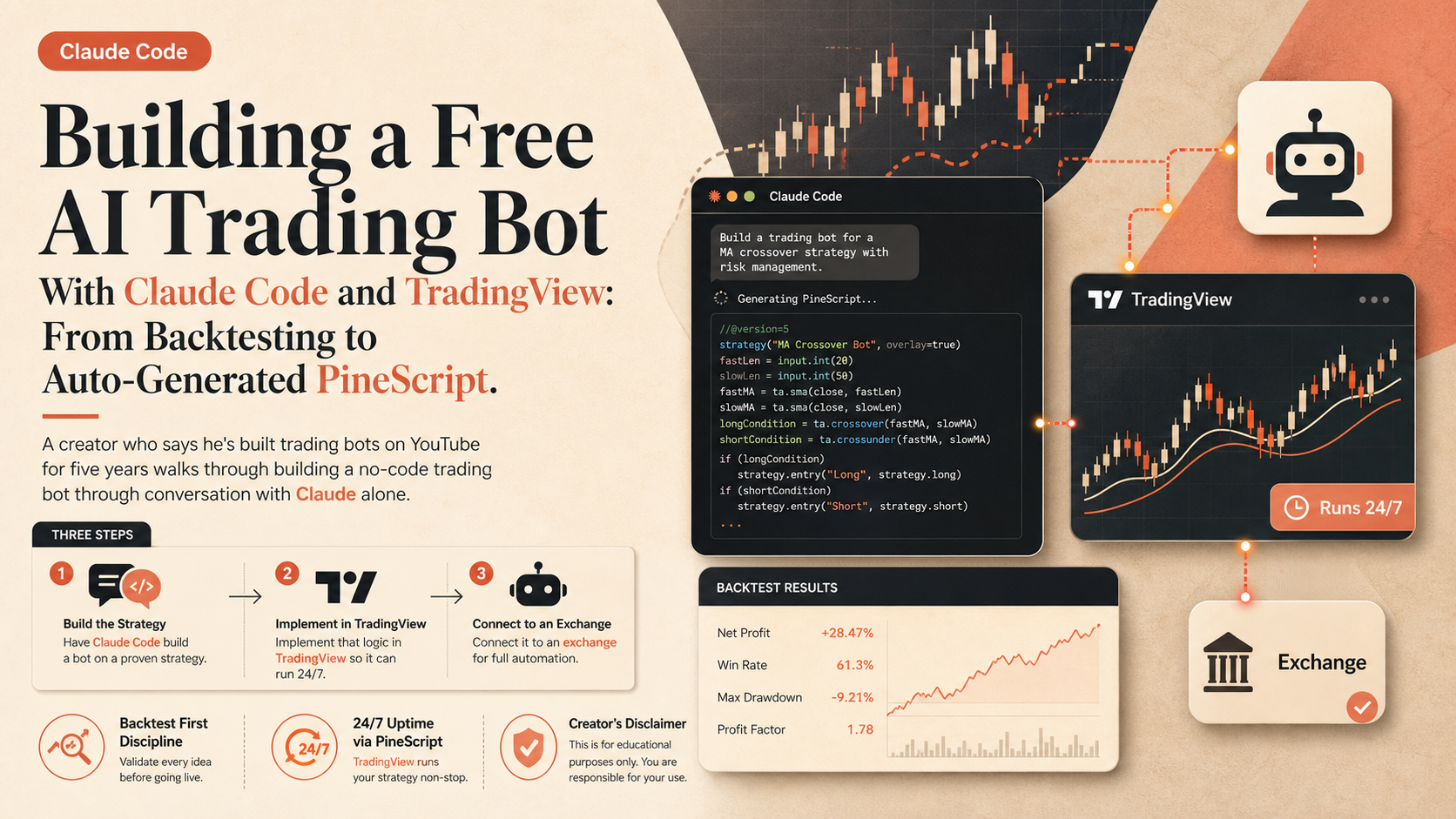
Building a Free AI Trading Bot With Claude Code and TradingView: From Backtesting to Auto-Generated PineScript
A creator who says he's built trading bots on YouTube for five years walks through building a no-code trading bot through conversation with Claude alone.

The Calum Johnson Show
Building a Membership Site With Claude Code in a Weekend, $20K in the First Week: 'You Don't Need the Terminal'
The guest says he built a membership platform, digitalcreatorclub.com, that would have previously cost $50,000-$100,000, in a single weekend using Claude Code -- and made about $20,000 in its first week.