
Claude Code for Non-Coders: Automating Repetitive Work With Plugins and Skills
TL;DR · What you'll learn
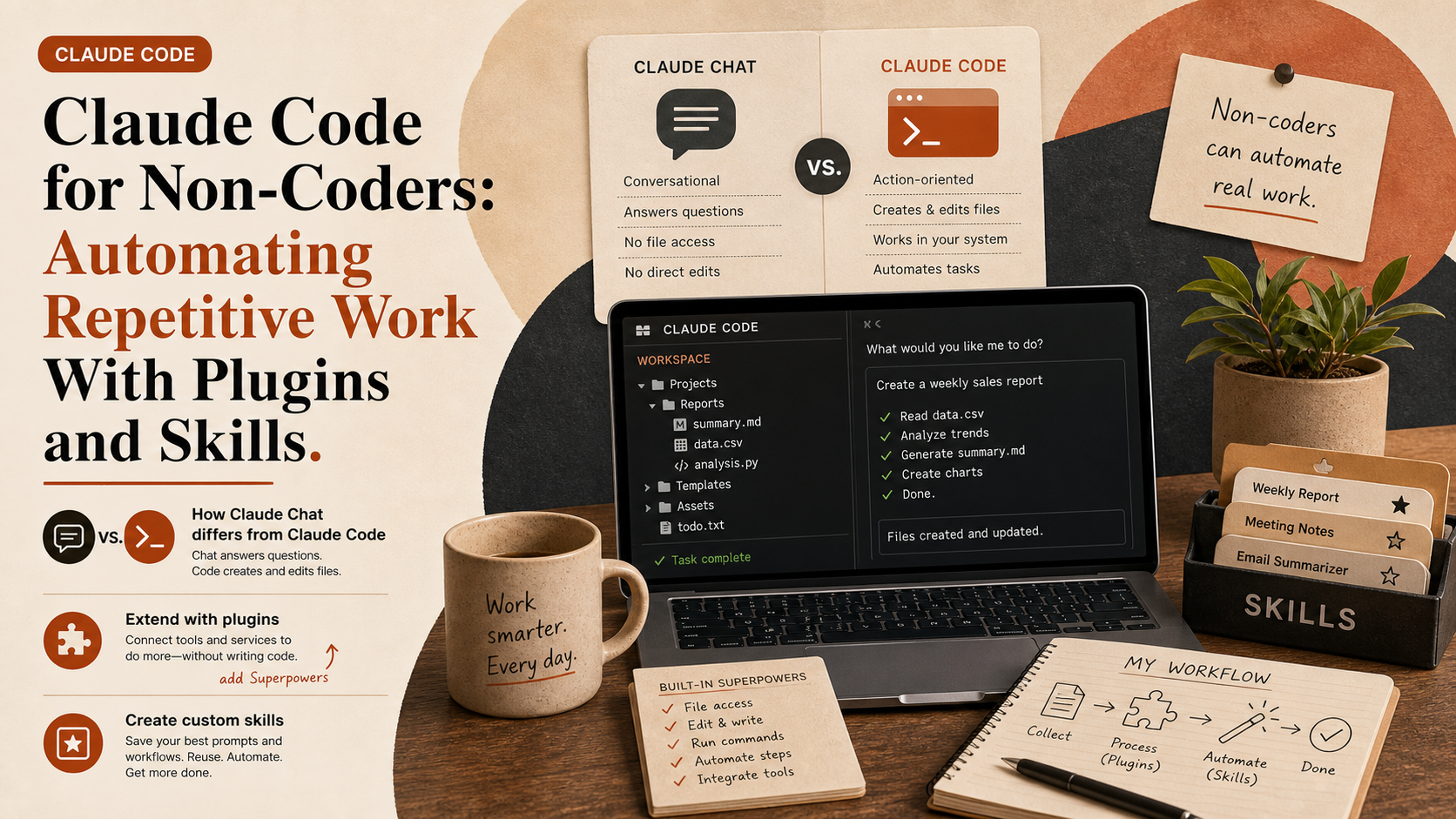
- 1 The video explains how non-coders can get started with Claude Code from scratch in 19 minutes.
- 2 The biggest difference between Claude Chat and Claude Code is that Code can directly create and edit files on a computer.
- 3 Plugins are packages of skills and tools, and powerful new ones from Anthropic are added regularly.
- 4 The recommended plugin, "Superpowers," automatically invokes skills for brainstorming, sub-agents, debugging, and similar tasks.
- 5 Skills are reusable processes for repetitive work that Claude can trigger automatically in relevant situations.
- 6 Users can also package their own step-by-step workflows into reusable skills on the spot.
- 7 As an example, the video demonstrates running a security review skill before publishing.
Read as slides
3 slides total
How Claude Chat differs from Claude Code
The video is aimed at beginners who do not write code and walks them gently through getting started with Claude Code. The first key concept is the fundamental difference between Claude Chat and Claude Code.
Claude Code does more than converse. It can directly create and edit files on the user's computer. That means it needs access to the working folder, which is what sets it apart from a normal chat experience.
Extending capabilities with plugins
Claude Code includes a plugin system. Plugins package together skills and tools, and Anthropic regularly adds powerful new ones.
The video specifically recommends "Superpowers," which lets Claude automatically call a range of skills, including brainstorming, sub-agents, and debugging, depending on the task at hand.
Creating custom skills for your own workflow
Skills are reusable processes that let Claude perform repeatable tasks in the same way each time. Claude Code ships with strong built-in skills, but users can also create their own.
The creator's method is to first work through a task manually, especially one that normally takes multiple prompts and iterations, and then ask Claude to package that process as a skill. The example shown in the video is a security review skill for checks that matter before publishing.
Editor's Take
That a Claude Code primer for non-engineers even works signals a shift in what the tool is. If plugins and skills automate repetitive work and turn your own procedures into reusable assets on the spot, value moves from the ability to write code to the ability to design what gets delegated. Running a pre-publish security review as a skill is a smart way to ship automation and minimal discipline together.
Source
Futurepedia
From Zero to Claude Code in 19 Minutes (no code)
This article auto-summarizes the YouTube video's transcript with Claude. Please refer to the original video for nuance and exact wording.
Watch on YouTube →Related
3 articles
Better Stack
Claude Code Plugin "Ponytail": The "Lazy Senior" That Cuts Code by 94%
"Ponytail" is a library/plugin for Claude Code named after the archetypal veteran developer with a long ponytail and round glasses, the kind of 10x engineer who looks at 50 lines of code and silently replaces them with a single line.
PIVOT 公式チャンネル
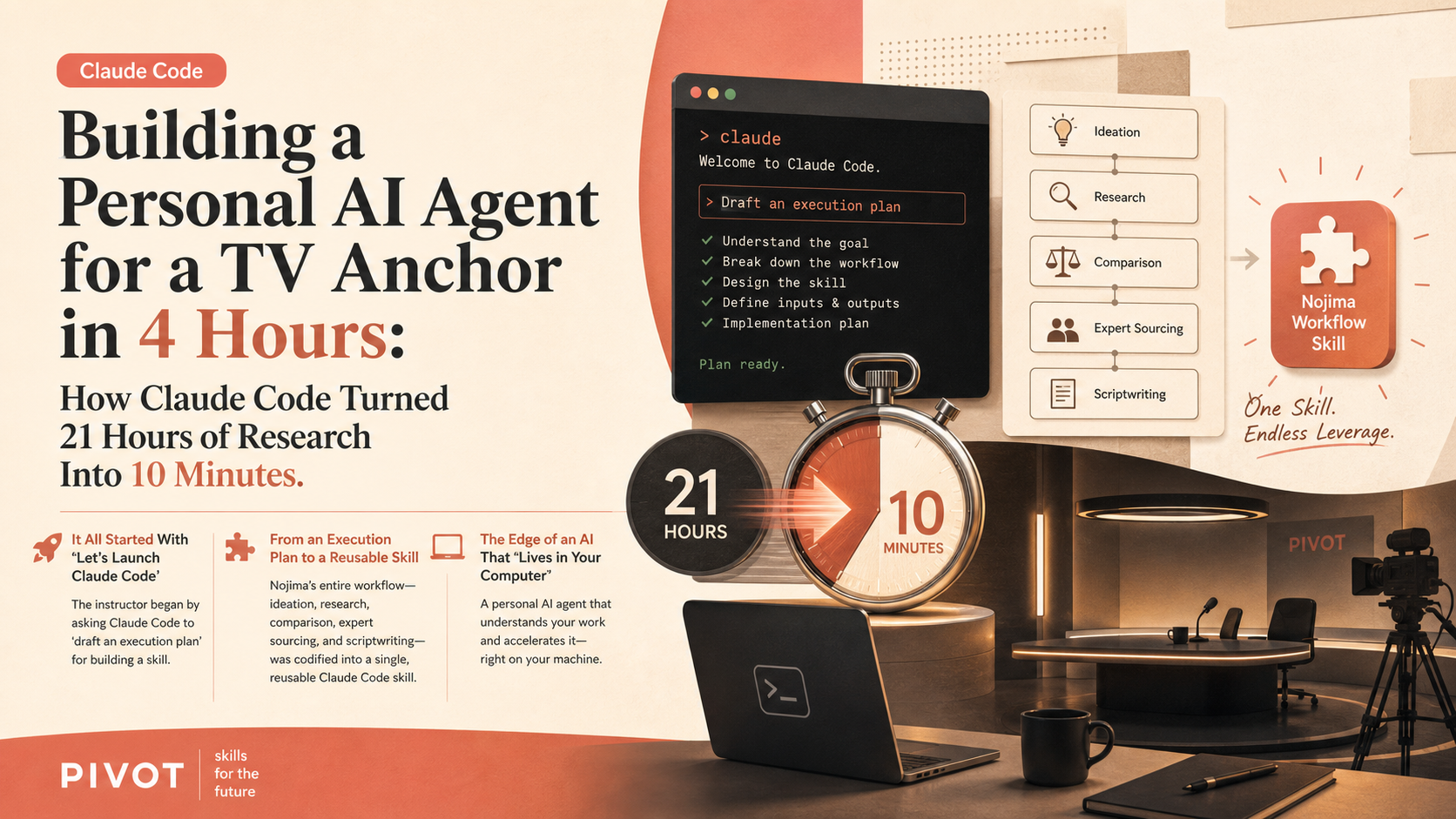
Building a Personal AI Agent for a TV Anchor in 4 Hours: How Claude Code Turned 21 Hours of Research Into 10 Minutes
Japanese business show PIVOT filmed a live segment building a personal AI agent for anchor Tsuyoshi Nojima using Claude Code, from scratch, in four hours.

Duncan Rogoff | Learn Claude Code
Anthropic's 'Launch Your Agent' Skill Brings Managed Agents to Claude Code
Anthropic released a free, open-source Claude Code skill called "Launch Your Agent" designed to take users from an idea to a production managed agent in minutes.